To order products from Singha Online, please apply for the membership program.
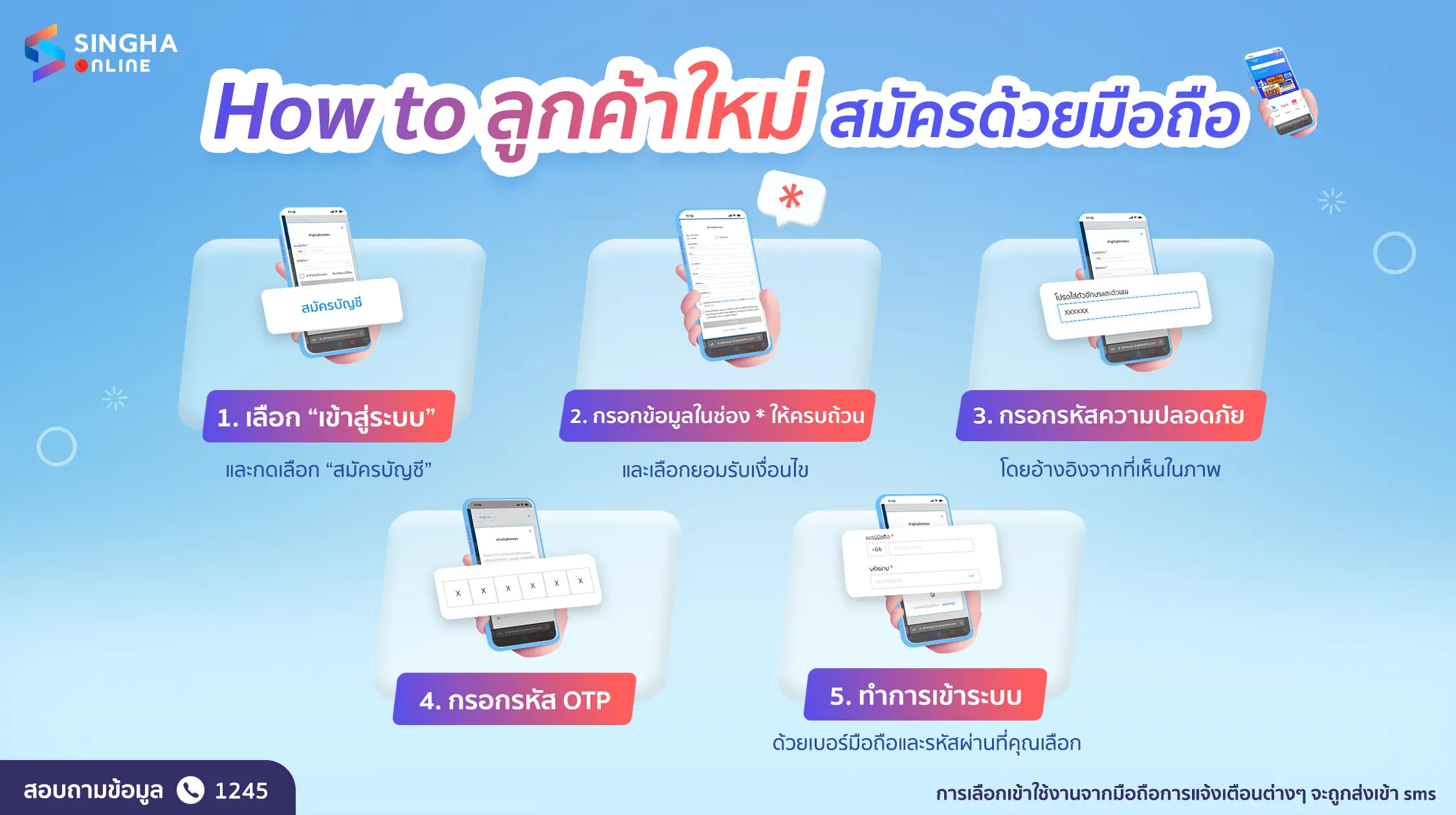
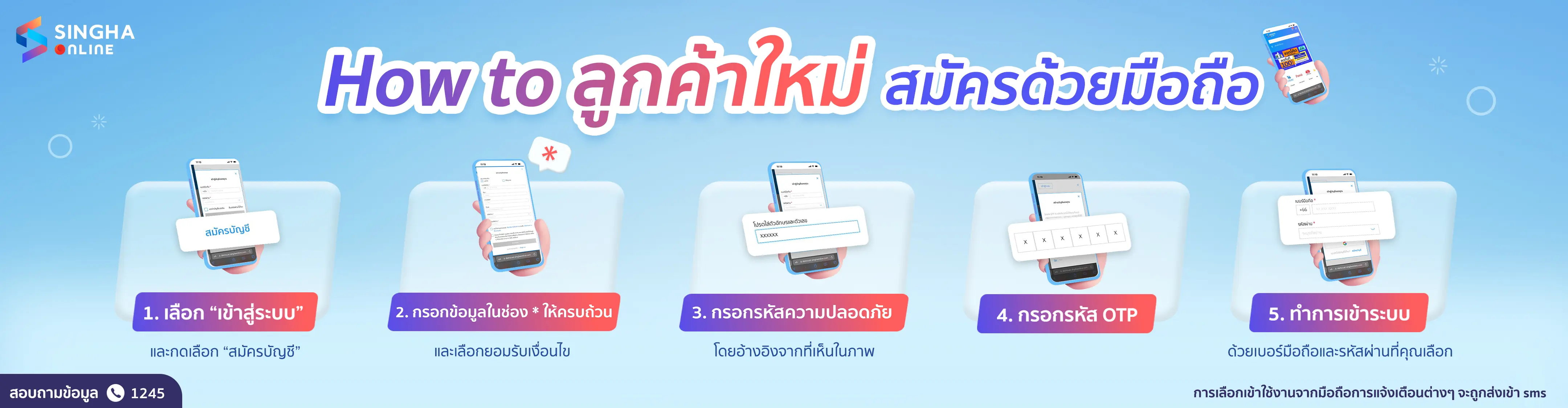
The steps to sign up and sign in for a new membership with a Mobile Number are as follows:
Sign up & Sign in with Mobile Number
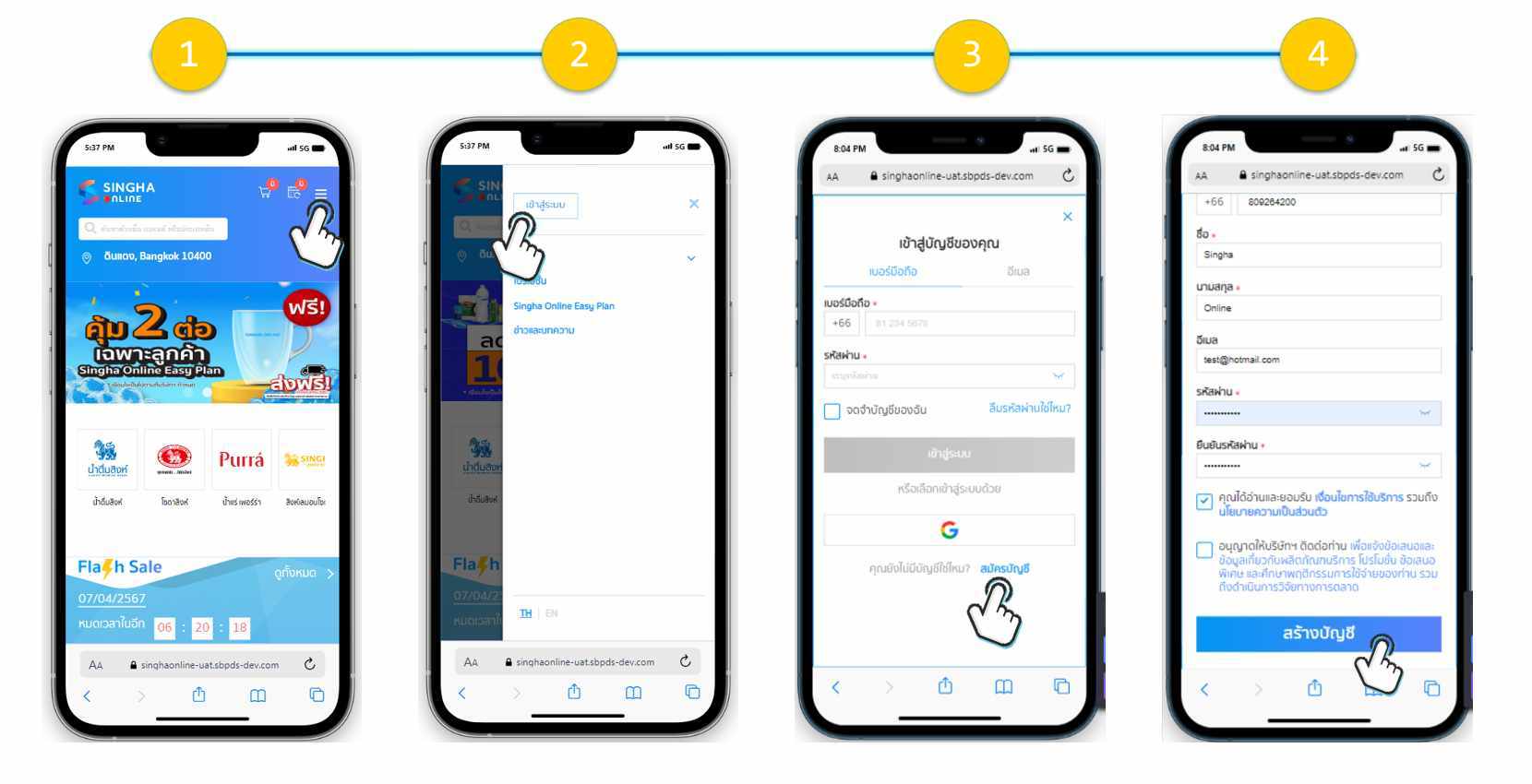
1. Select “Main Menu” Hamburger menu in the upper right corner.
2. Select “Sign in”
3. In the “Mobile Number” tab, select “Sign Up”
4. Fill in your information, select “Accept Terms & Conditions”, and then press “Create Account”.
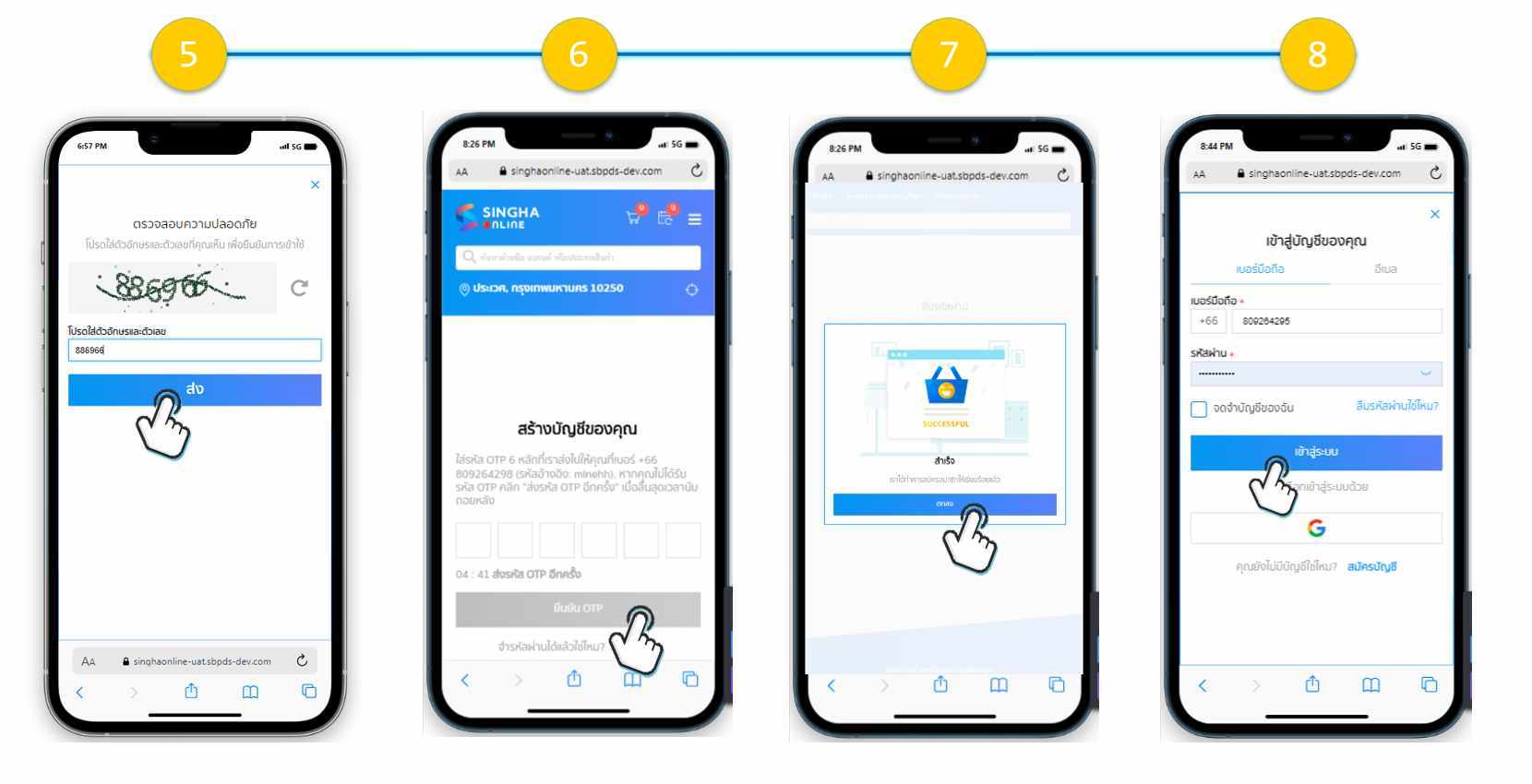
5. Enter the numbers you see in the picture.
6. Fill in your OTP number from SMS
7. The system will display a screen confirming that the registration was successful.
8. You can sign in by clicking Hamburger menu and press the “Sign in” button on the top menu bar with your mobile number and enter the password you set.