
To order products from Singha Online, please apply for the membership program.
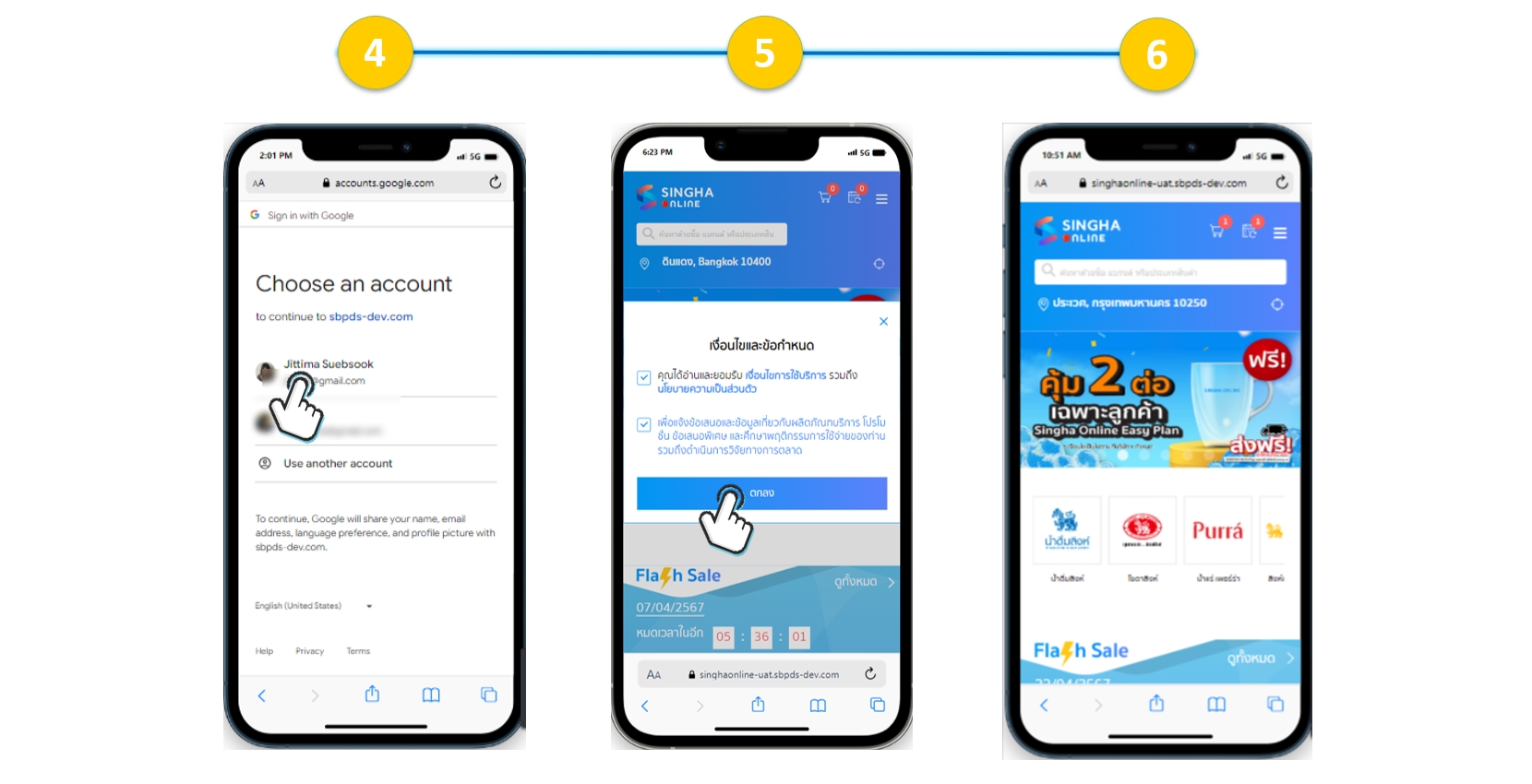
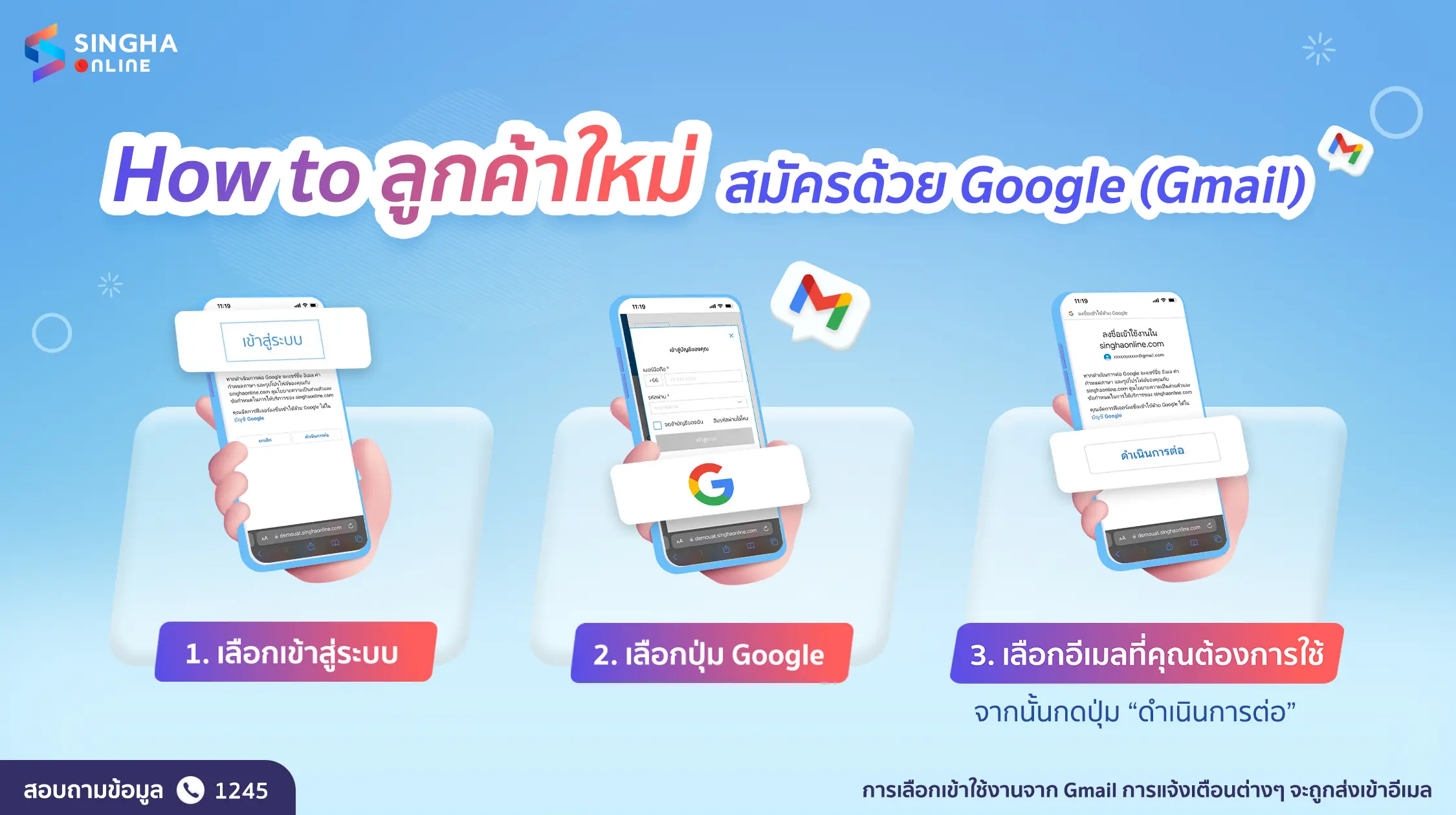
The steps to sign up and sign in for a new membership with a Google Account (Gmail) are as follows:
Sign Up & Sign in with Google Account (Gmail)
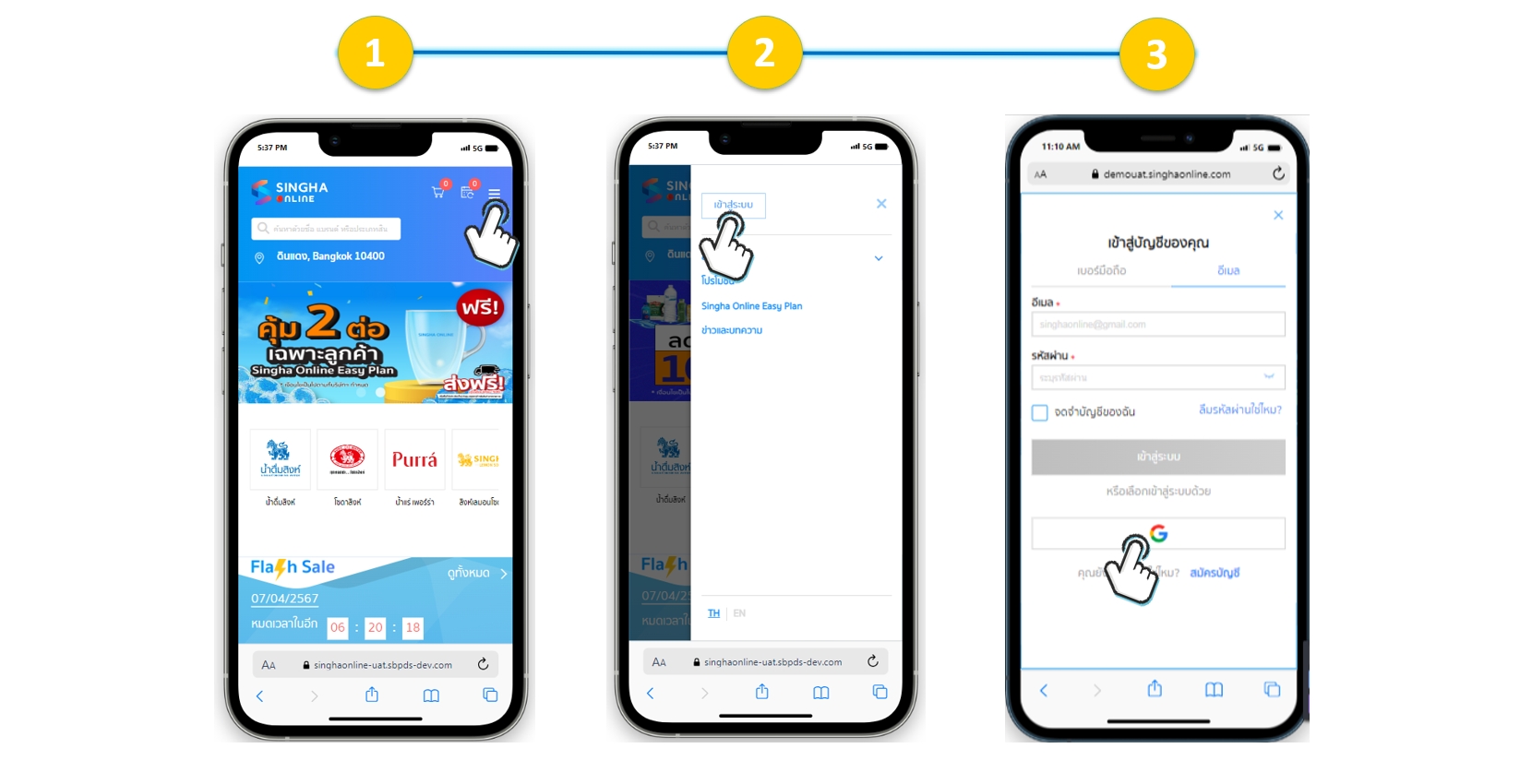
3.1. Select “Main Menu” Hamburger menu in the upper right corner.
3.2. Select “Sign in”
3.3. Select “Google”
3.4. The system will prompt you to choose the Google Account to connect.
3.5. Accept the terms and privacy policy
3.6. The system will automatically create an account and sign in automatically.