
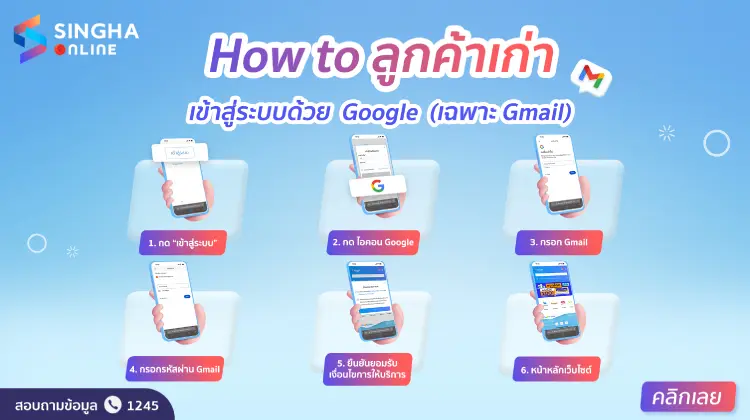
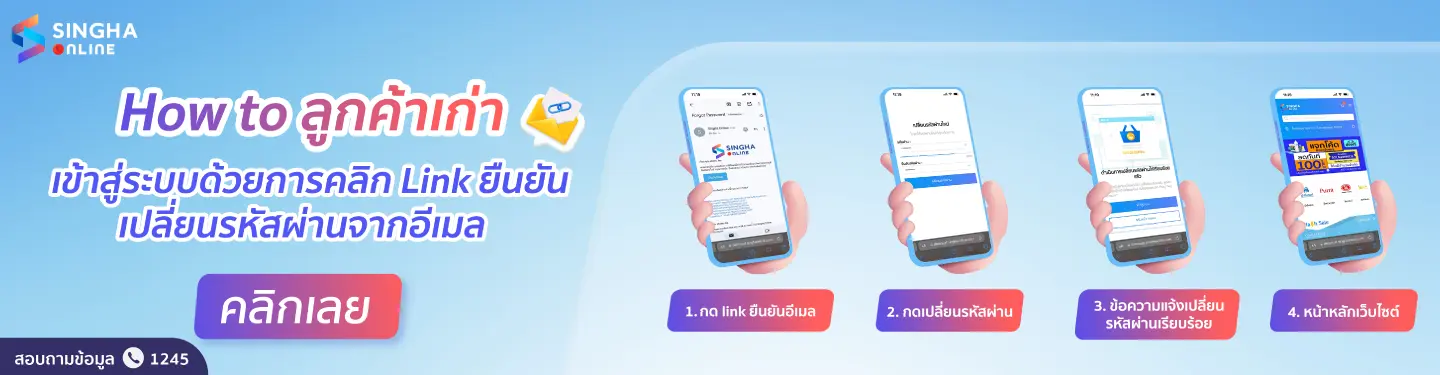
To facilitate convenience for customers who are members of the old version of the Singha Online website, allowing easy and quick access and placing orders on the new website version, the Singha Online team has imported existing member data to the new website version. Customers simply need to verify their identity and sign in to use the service, and they can immediately place orders on the website without having to fill out all the information to register as a new member.
For customers who were existing members of the Singha Online website and used various email accounts to register, they will receive an email from Singha Online requesting identity verification by clicking the link in the received email and changing their password on the new website version, as follows:
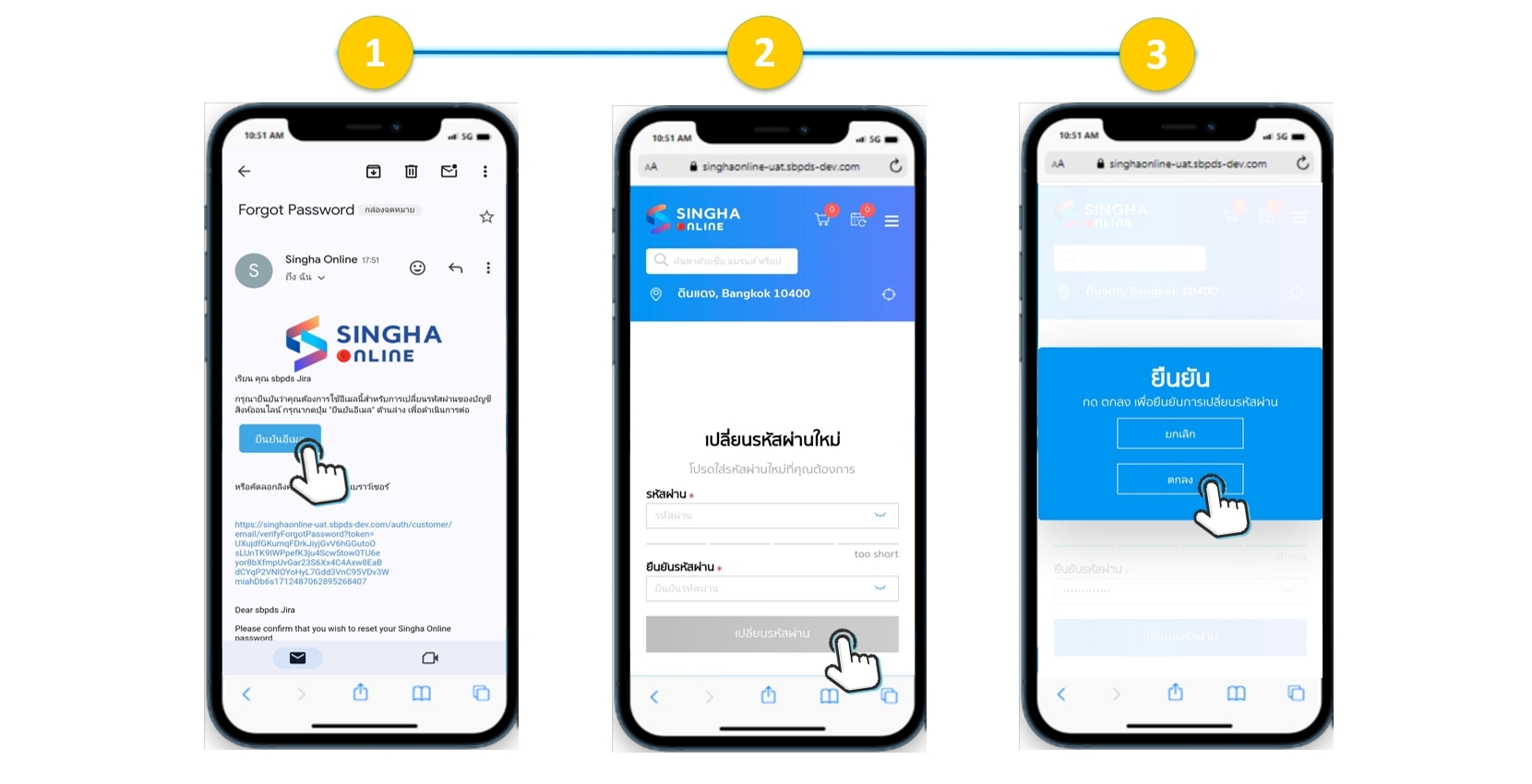
1. Open the email received from Singha Online (if not found in the inbox, check the junk/spam folder), then click the confirmation link in the received email*
2. The “Change Password” page will appear. Enter the password and confirm password fields according to the system requirements, then click the “Change Password” button.
3. Click “OK” to confirm the password change
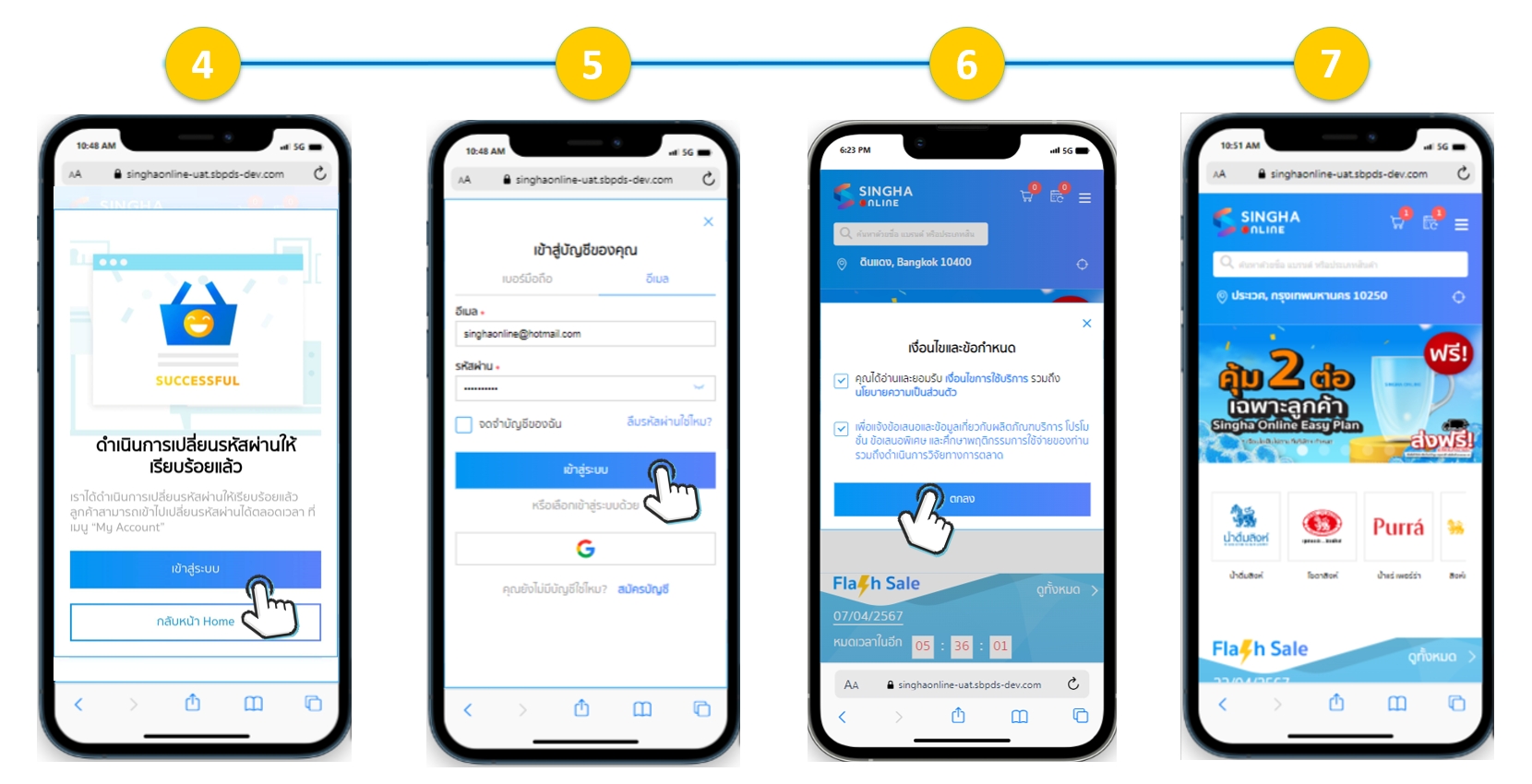
4. The system will display the successful password change page. You can click the “Sign In” button or go back to the Home page.
5. If choosing to sign in on the email tab, enter your email account and password, then click the “Sign In” button.
6. Accept the terms and privacy policy.
7. The website's main page will appear, ready for you to select and purchase products immediately.
*Note: The confirmation link in the email can only be used once. If you click the link and access the Change Password page but do not complete setting a new password and close the window, or if you do not click the link to change your password within 30 days of receiving the email, you will not be able to access the Change Password page from that email link again.
However, customers can click “Forgot Password” to set a new password and use their existing member account on the new website version, which will be explained in the article How to verify your identity and Sign In for existing customers by press forgot password link. (Click here to see details)